Upscale images right in your browser. This image upscaler turns small, blocky pictures into sharp ones that are 2× or 4× bigger. It's free, needs no sign-up, and your photo never leaves your device.
Free 2× and 4× upscaling
No sign-up, no upload
Up to 4K output
Preview & Compare
Example
BeforeAfter
Drag the slider to see a real 4× result from the free image upscaler.
Enhancement mode
Upload your image
Max 50MB
On-deviceImage stays local
2× / 4×Free local upscale
No sign-inStart with local AI
Real image upscaler results
These are real 4× results from the free image upscaler on this page, not mockups. We shrank each photo to 384 × 256 pixels, like a small web image, and upscaled it once. The left side is the same small image, stretched the normal way.
01
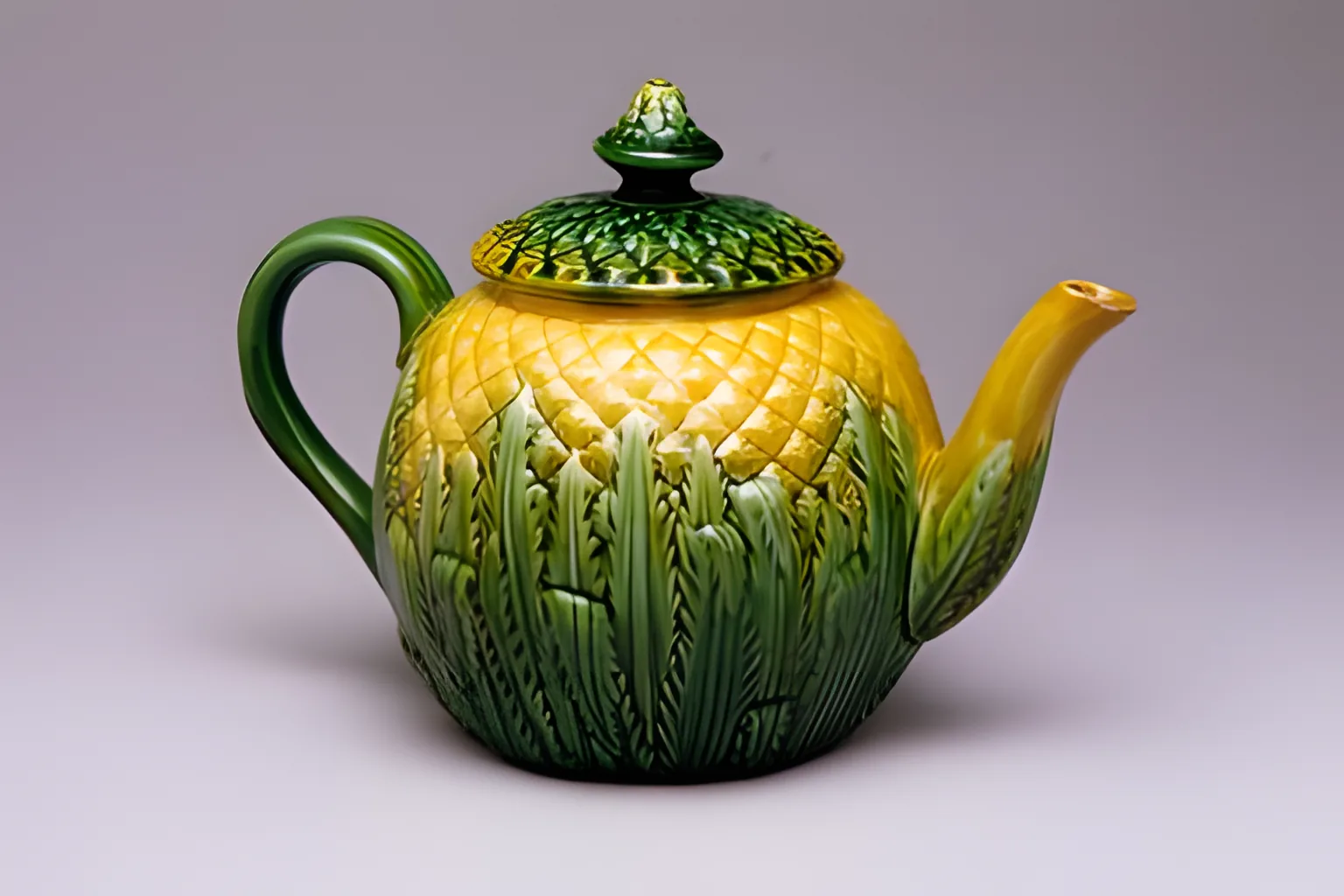
Fine pattern on a glazed teapot
At 384 pixels, the pattern on this product photo turned to mush. After the image upscaler made it 4× bigger, each diamond on the pineapple teapot has a clean edge, and the leaves on the lid are crisp again.
Input
384 × 256 px
Output
1536 × 1024 px (4×)
Real output, no retouching
StretchedAI upscaled
02
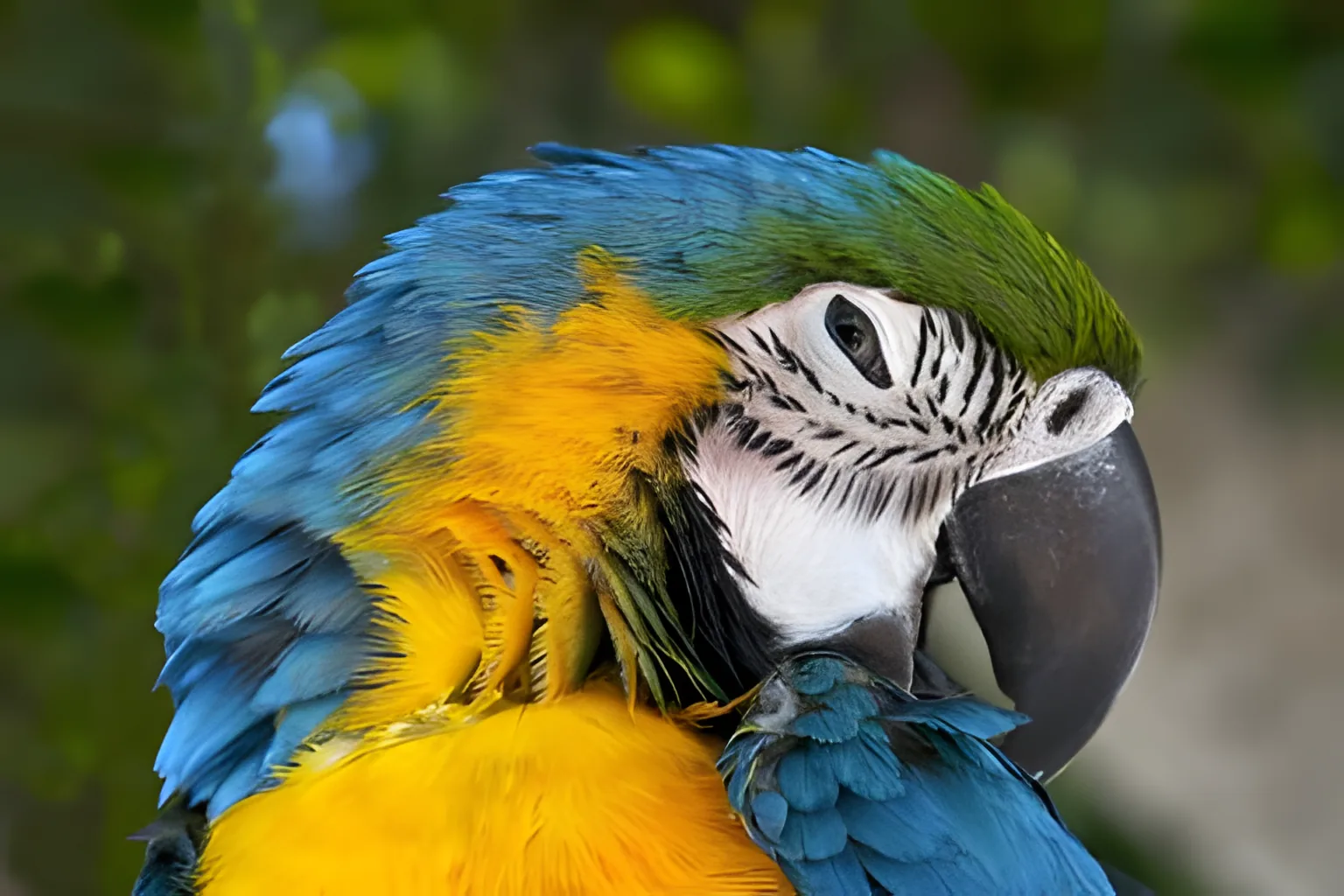
Eye and stripes on a macaw
At 384 pixels, the bird's eye and face stripes blurred together. With the image upscaler at 4×, the beak, eye and stripes are crisp. The fine lines in the green feathers came out smoother, a bit like paint.
Input
384 × 256 px
Output
1536 × 1024 px (4×)
Real output, no retouching
StretchedAI upscaled
03
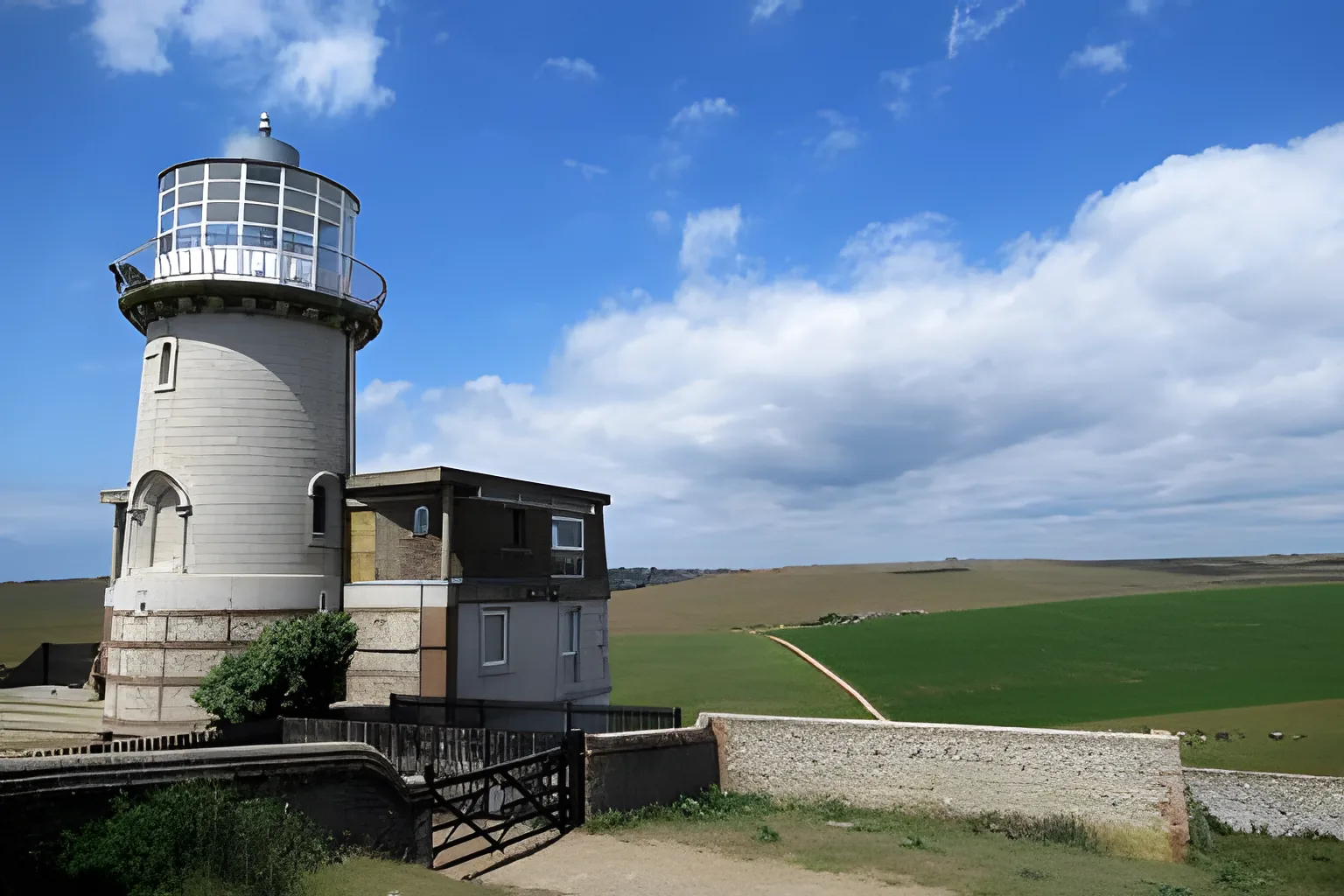
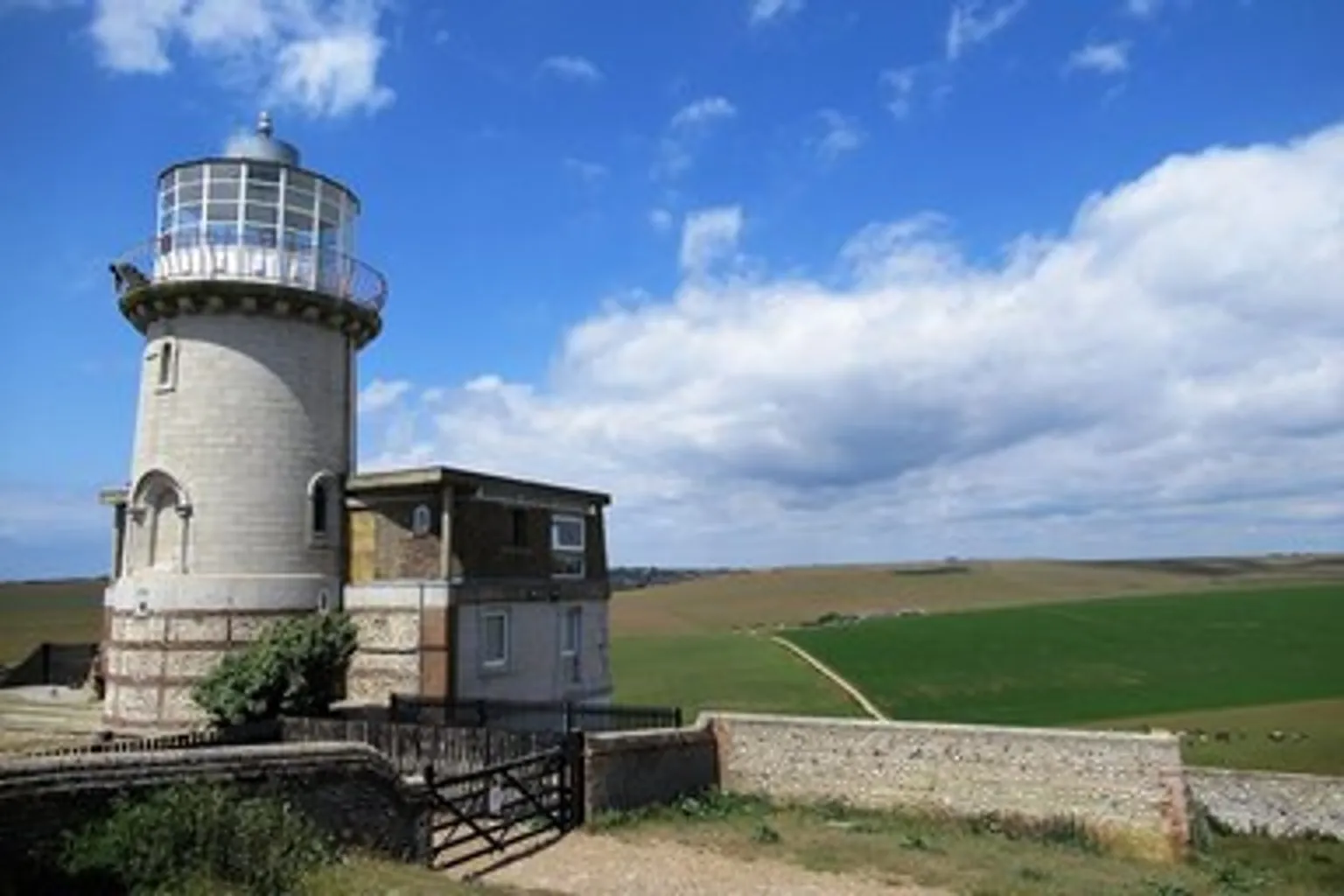
A lighthouse under a wide sky
The image upscaler brought back clean window frames and cloud edges. Thin details were harder. The railing bars blended together, and the bricks on the tower look smoother than in real life.
Input
384 × 256 px
Output
1536 × 1024 px (4×)
Real output, no retouching
StretchedAI upscaled
Photos: CC0, via Wikimedia Commons (Jebulon, Poliphilo, AdinaVoicu, and The Metropolitan Museum of Art for the teapot). Cropped to 3:2, shrunk, then upscaled once on a laptop with WebGPU. We left out one test: a camera whose tiny label came out as the wrong letters.
When to use an image upscaler
An image upscaler helps any time a picture is too small for the place you want to use it.
Small web images
Saved a picture that is only a few hundred pixels wide? Our image upscaler makes it 4× bigger, so it stays crisp on a big screen.
Product photos
Use the image upscaler to enlarge small product shots for a store page or a catalog, without blocky edges.
Prints and posters
Run the image upscaler before you print. A 4096-pixel image prints about 13 inches wide at 300 DPI.
Wallpapers and slides
Make a small image wide enough to fill a laptop screen, a TV or a full slide.
Old phone photos
Early phones and cameras saved tiny photos. An AI image upscaler makes them 2× or 4× bigger.
Higher resolution for uploads
Need a bigger file for a form or a profile? Increase image resolution with the image upscaler, without installing an app.
Free local upscaler or UModel?
This image upscaler gives you two engines. Start with the free local one. Switch to UModel when the photo is blurry, not just small.
The image upscaler runs in your browser. There is nothing to install.
1
Upload your image
Choose a JPG, PNG or WEBP file up to 50 MB. Small images get the biggest boost.
2
Pick 2× or 4×
2× is faster. 4× gives more detail. The first run downloads the model once, about 30 MB or 95 MB.
3
Upscale and download
Click Upscale Image. When the image upscaler is done, drag the slider to compare, then download a PNG.
Tips for sharper upscaled images
A few small habits help the image upscaler do its best work.
Start with the biggest copy of the image you can find.
Crop first. The local image upscaler works on up to 1024 pixels, so cropping keeps more detail where you need it.
Use 4× for images under about 500 pixels wide. Use 2× for a smaller size boost.
If the image is blurry, not just small, try UModel or our image unblur tool.
Keep your original file. The upscaled image is a new copy.
What an image upscaler can't do
Upscaling adds pixels. It can't bring back detail that the camera never caught.
The local image upscaler shrinks images larger than 1024 pixels on the long side first, so results top out at 4096 pixels.
Tiny text can turn into the wrong letters. Don't trust small words or numbers in the result.
Thin lines, fur and feathers can blend together or look smooth at 4×.
Browsers without WebGPU use a lighter model and a smaller size limit.
There is no 8K option. The largest output is 4096 pixels.
Image upscaler FAQs
Is this image upscaler free?
Yes. The local image upscaler is free, with no credits and no sign-up. UModel uses credits. You get up to 5 free credits a day, shared with our other cloud tools. A 1K result costs 1 credit and a 2K result costs 2. Free credits reset at 00:00 UTC. 4K output is for paid plans. Device, network and service limits may lower the free amount.
How do I upscale an image to 4K?
Upload an image about 1000 pixels wide and choose 4×. On a device that supports WebGPU, the image upscaler makes it about 4000 pixels wide, which is 4K. Older devices top out lower. To get a 4K result from any image, choose UModel at 4K on a paid plan.
Can I upscale an image to 8K?
Not yet. 8K is 7680 pixels wide. The largest result from this image upscaler is 4096 pixels on the long side. That is enough to fill a 4K screen.
Can I enlarge an image without losing quality?
Normal resizing stretches pixels, so a bigger image looks soft and blocky. An AI image upscaler draws clean edges and textures instead. It can't add detail that was never there, but the result looks much sharper than a stretched copy.
Does my image get uploaded?
Not with the local image upscaler. It runs on your device, and your image never leaves your browser. Only the model files are downloaded. If you choose UModel, your image is uploaded to our cloud and stored so you can download the result. Read our privacy policy to learn more.
What is the difference between 2× and 4×?
2× uses a lighter model, so it is faster and works on more devices. 4× makes the image four times wider and taller. It uses the high-detail model when your device supports it.
What files and sizes can I upscale?
Upload a JPG, PNG or WEBP image up to 50 MB. The local image upscaler works on up to 1024 pixels on the long side and makes up to 4096 pixels. Results download as PNG files.
Why is my upscaled image smaller than I expected?
Big images are scaled down to 1024 pixels before upscaling, so results from the local image upscaler top out at 4096 pixels. Phones and older browsers may use a lower limit. For the biggest result, crop first or use UModel at 4K.
Will upscaling change faces or text?
It can. The local image upscaler sharpens what it sees, but tiny text can come out as the wrong letters, and fine fur or hair can look smooth. UModel redraws the image, so small text, numbers and faces can change too. Always check the result before you use it.
How is this different from the image unblur tool?
Our image unblur tool is made for blurry photos and starts with UModel, which rebuilds lost detail. This image upscaler is made for small photos. It starts with the free local model, which makes images 2× or 4× bigger.
Ready to try the image upscaler?
Drop in a small photo and get a bigger, sharper copy. The image upscaler is free, with no account needed.